Sales Tax report
See the sales and sales tax of a period on either basis, open the invoices behind an amount, and export the report.
The Sales Tax report shows the sales and the sales tax of your invoices in a period. Use it to fill in your sales tax return, or export it for your accountant.
Open the report
In the sidebar, click Reports, then click Sales Tax. The report opens on the last quarter that has ended, on the accrual basis. That is the quarter that you usually file.
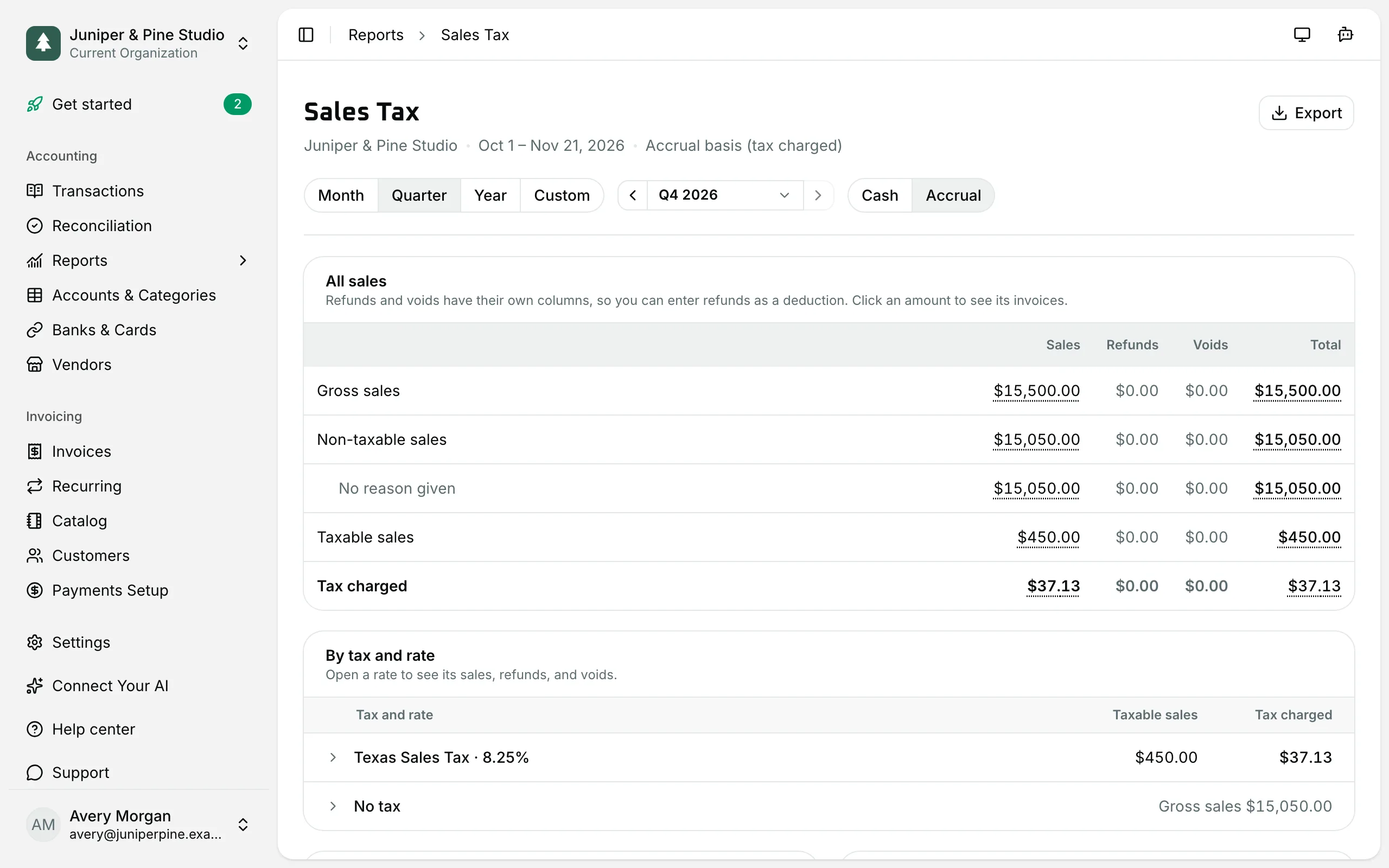
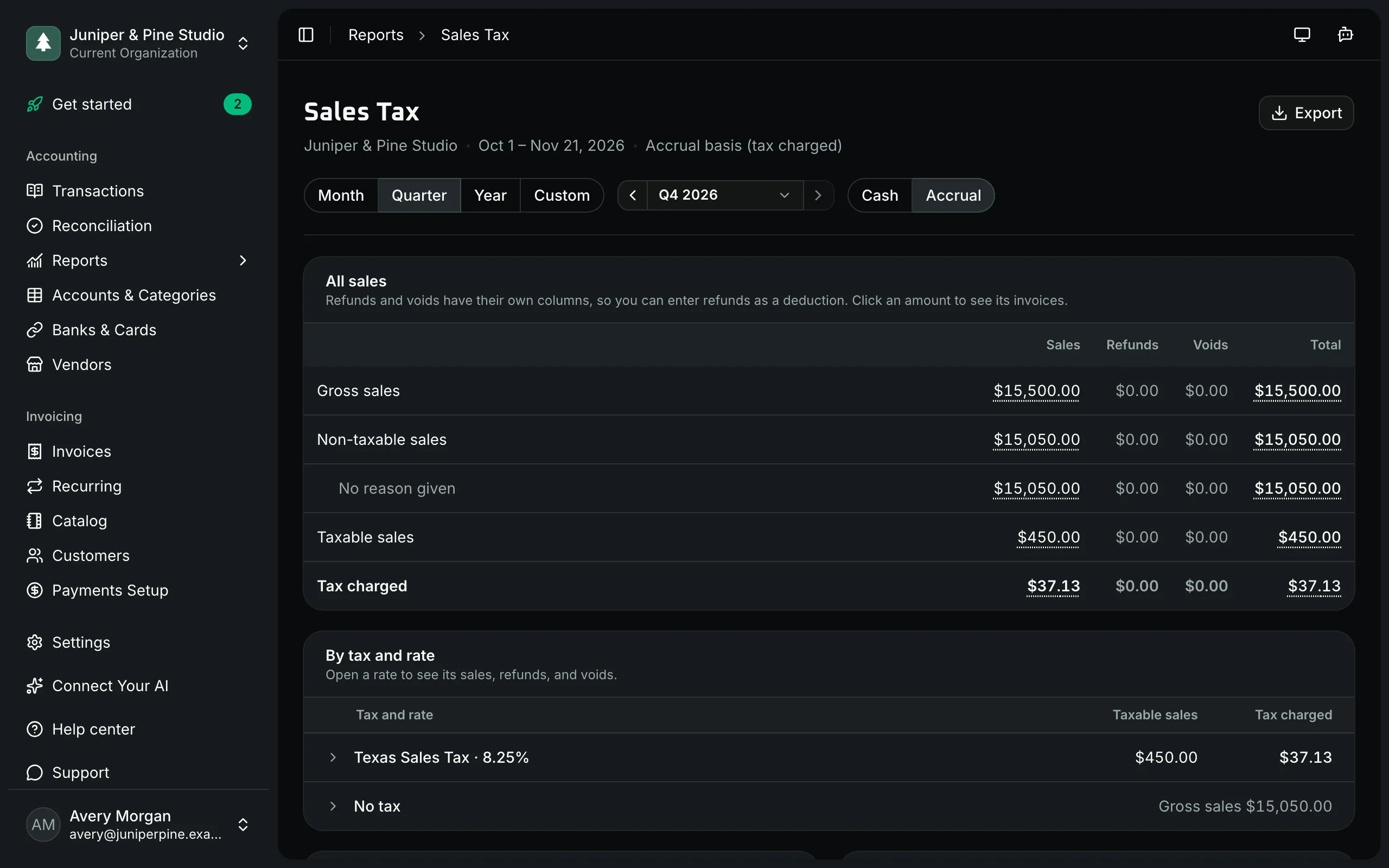
The line under the title shows your organization name, the dates of the report, and the basis, such as Accrual basis (tax charged).
Choose the period and the basis
Use the period controls as on the Profit & Loss report. Click Month, Quarter, or Year, or use the arrows. To choose your own dates, click Custom. See Choose the period.
Next to the period, choose the basis:
- Cash counts the tax that you collected. A sale counts on the days that your customer pays it. The report says Tax collected. Some states let a business that keeps its books on the cash basis report tax when the customer pays. Use the cash basis for a return only if your state allows it.
- Accrual counts the tax that you charged. A sale counts on the date of its invoice. The report says Tax charged. Most states, California among them, want sales reported this way.
What the report shows
All sales shows every sale of the period in four columns: Sales, Refunds, Voids, and Total. Refunds and voids have their own columns, so you can enter refunds as a deduction. The rows are:
- Gross sales: the sales without tax.
- Non-taxable sales: the sales without tax charged. The reason of each shows under them, such as Labor or Resale. No reason given holds the non-taxable sales without a reason.
- Taxability unknown: sales whose taxability LazyBooks does not know. An example is an invoice from imported books with one tax for the whole invoice. The row shows only when it has an amount.
- Taxable sales: the sales that were taxed.
- Tax charged or Tax collected: the tax, by the basis.
- Of which not in your books: sales: the sales of invoices not in your books. They are already in Gross sales.
- Of which not in your books: tax: the tax of those invoices. It is already in the tax above it.
The two "of which" rows show only when they have an amount.
You choose the reason of a non-taxable line on the catalog item or on the invoice line. See Catalog and taxes.
By tax and rate lists each tax and rate with its taxable sales and its tax. Click a rate to open its sales, refunds, and voids. No tax holds the sales of lines without a tax.
If the period has no invoice sales, the report says so and still shows the two tables of your books. If the period has nothing at all, the report shows No sales in this period. You can still export it for a return with no sales.
See the invoices behind an amount
Click an amount in a table to see the invoices behind it. A panel lists each invoice with its customer and its part of the amount. The parts add up to the amount. Click an invoice number to open the invoice. An invoice that was deleted shows as Deleted invoice.
If the parts no longer add up to the amount, the panel says The report changed since it loaded. Click Reload the report to see the new numbers. If the invoices do not load, click Try again.
Messages on the report
The report shows a message above the tables when one of these applies:
- This period includes imported books: the period starts before your books start date, or it holds invoices that a books import brought in. Check the numbers against your old books before you file.
- 1 invoice is not in your books, or the number of such invoices: these invoices were marked paid outside your books. The totals of the report already include their sales and tax, so file from the totals. Your Sales Tax Payable balance does not include this tax.
The message about invoices not in your books lists them. Click an invoice to open it. A long list shows five invoices first. Click Show all to see the rest.
Check the report against your books
Two tables at the end tie the report to your books for the same dates and basis:
- Sales Tax Payable in your books shows how the balance that you owe changed. It starts with Balance at the start and adds Tax from your invoices. Then it takes off Tax payments and other changes, and it ends with Balance at the end. Other lines show only when they have an amount, such as From your imported books.
- Sales in your books starts with Gross sales in this report and ends with Income on your Profit & Loss. Lines in between explain any difference. What is left shows as Unexplained difference.
Under Transactions that differ from their invoices, the report lists each invoice or transaction with its part. Click an invoice to open it. Click a transaction to open the Transactions page on its date. Under Tax of deleted transactions, the report lists the invoices of those transactions.
Fill in a California return (CDTFA-401)
This part is a guide for sellers in California. It is not tax advice. Check the CDTFA instructions for your own situation.
California requires sales tax to be reported on the accrual basis, even if you keep your books on the cash basis. A sale belongs on the return for the period in which you made it, even if the customer pays later (Regulation 1642(c), Annotation 495.0672). So choose Accrual to fill in the return. If a customer never pays, you can deduct the taxable part as a bad debt on the return for the period in which you write it off, and report anything that you collect later on the return for the period in which you collect it (Regulation 1642, Schedule Q in the CDTFA-401 instructions).
The California Department of Tax and Fee Administration (CDTFA) asks for your total sales and then your non-taxable sales as deductions. The table gives the line of the CDTFA-401-A for each amount of the All sales table, with the box number. Online filing uses similar names on its Nontaxable Sales (Deductions) page.
| On the report | CDTFA-401-A line |
|---|---|
| Gross sales, Sales column plus the voids of sales of this same period | Page 1, line 1, Total sales |
| Labor, Sales column plus the voids of sales of this same period | Section A, line 6 (box 34), Nontaxable labor (repair and installation) |
| Resale, Sales column plus the voids of sales of this same period | Section A, line 4 (box 32), Sales to other retailers for purposes of resale |
| Exempt customer, Sales column plus the voids of sales of this same period | No line of its own. Sales to the U.S. government go on line 7 (box 35). Other exempt sales go on line 10 (box 38). |
| Other, Sales column plus the voids of sales of this same period | Section A, line 10 (box 38), Other deductions, with an explanation |
| Taxable sales, Refunds column, refunds of sales of this same period, as a positive amount | Section B, line 3 (box 42), Returned taxable merchandise |
The amounts in the Voids column are negative, so they lower the amounts of the Sales column. The amounts of the report do not include tax.
Gross sales counts your invoices only. Add any sales that you made without an invoice to line 1. If such a sale was not taxed, also enter it on the Section A line that fits. The Income not from invoices line of the Sales in your books table can help you find them.
Voids, and refunds of sales from an earlier return
How the report counts voids: on the cash basis, a void counts nothing. On the accrual basis, a void shows in the Voids column of its own period. A sale that you voided before you reported it never belongs in total sales, so there is nothing to deduct.
The Refunds column can hold refunds of sales that you reported in an earlier return. To find them:
- Click the amount in the Refunds column.
- In the panel, find each invoice whose sale is in an earlier return.
- Leave those amounts out of line 3 of Section B.
- Report them as the CDTFA instructions for Schedule Q (CDTFA-531-Q) say.
On the accrual basis, the Voids column can also hold voids of sales from an earlier return. Leave those amounts out of line 1 and out of Section A. The CDTFA instructions do not cover such voids. Ask CDTFA or your accountant whether to amend the earlier return or to use Schedule Q.
The date of the invoice usually tells you the period of the sale. If you delivered the goods in another period, the sale belongs to the period of delivery.
Details from the CDTFA instructions
- Labor is only repair or installation labor. Labor to make or put together a new product is generally taxable, and you do not deduct it.
- Resale needs a valid resale certificate from the buyer.
- Sales to California and its local governments are generally taxable.
- Some sales in Other have a line of their own. Non-taxable food products go on line 5 (box 33). Sales delivered out of state go on line 8 (box 36).
- Line 3 of Section B is only for returns where you refunded the full price and the tax. The sale must be in the same return. Enter the amount without tax.
- The CDTFA-401-EZ has the same lines 4 to 10. Sellers with returned merchandise, bad debts, or other tax recovery deductions cannot use it. CDTFA gives them the right form.
No reason given and Taxability unknown have no line in this table. LazyBooks does not know why those sales were not taxed. Open them, find the reason, and enter them on the line that fits.
Sources: the CDTFA-401-A, -INST, and -EZ of January 2026, and the online filing instructions.
Numbers of a filed period on the cash basis
On the cash basis, a sale counts on the day of its payment. If you undo a payment of an invoice, that payment leaves its period. The same happens if you unmatch a deposit that paid an invoice. So the cash numbers of a period that you already filed can change. See Get paid. Export the report when you file, so you keep the numbers that you filed. If you mark the return as filed, LazyBooks keeps its numbers and tells you when they change.
Export the report
- Click Export.
- Click Export to CSV or Export to PDF.
The file has the same period, basis, and numbers as the report on the screen. Its header names the basis, such as Accrual basis (tax charged). It has the Sales, Refunds, Voids, and Total columns for all sales and for each tax and rate. Then come the two tables that check the report against your books, with their amounts in the Total column. The messages of the report and their invoices are at the top of the file.
Expenses by Vendor report
See how much you spent with each vendor in a period, show its months, quarters, or years side by side, open the transactions behind each amount, and export the report.
Set up sales tax agencies
Add the agencies that you file sales tax returns with, and choose the account and the taxes of each one.