Move sales tax into agency accounts
Count earlier sales tax for an agency, and move its tax into the account of the agency.
Each sales tax agency has its own Sales Tax Payable account. Tax that you charged before you added the agency can be in another account. Count that tax for the agency, then move it into the account of the agency.
See what there is to check
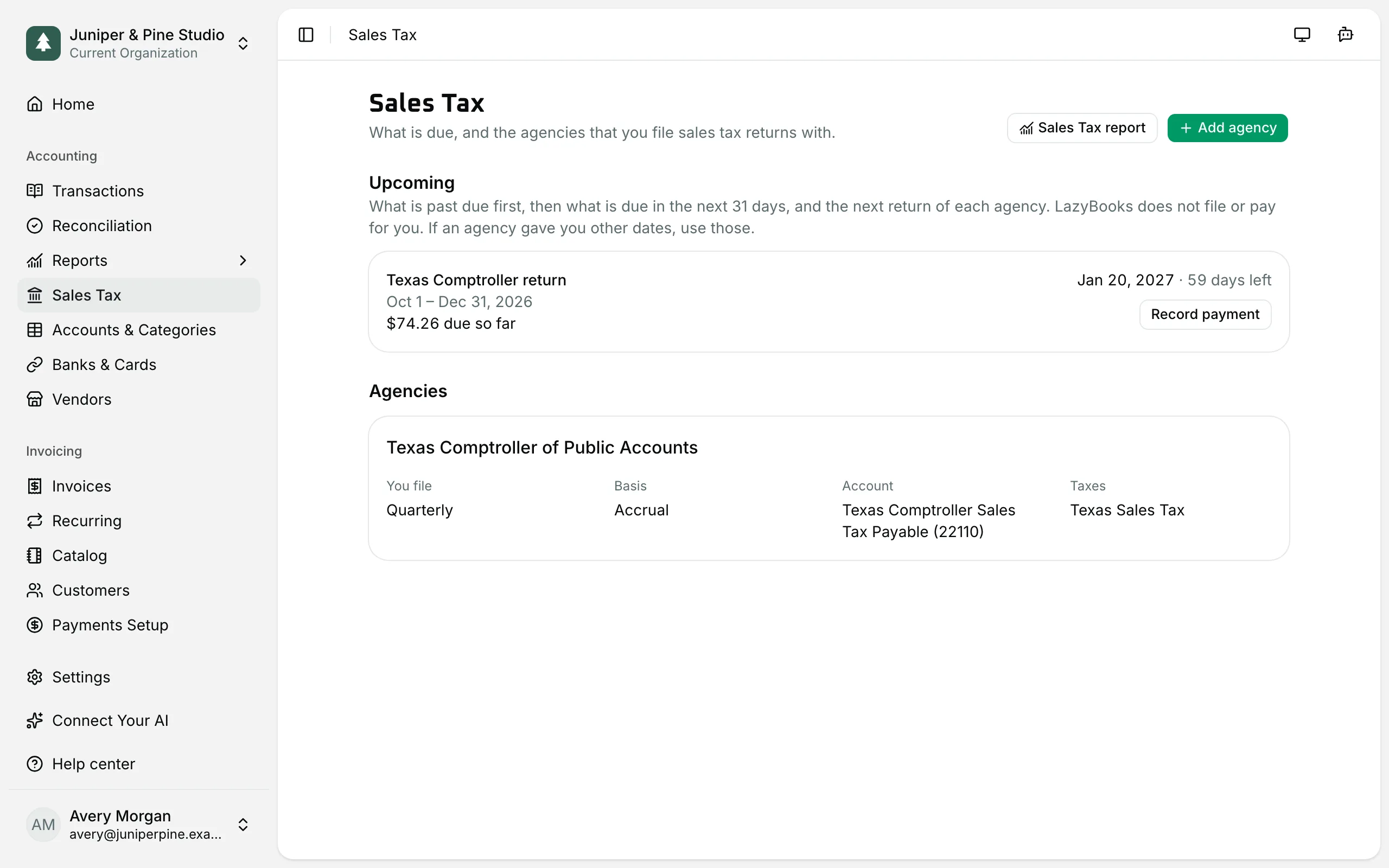
In the sidebar, under Accounting, click Sales Tax. Tax to check shows two kinds of tax:
- Tax that you charged before its tax belonged to an agency. No agency counts it yet. The page of the agency shows it under Earlier tax.
- Tax of an agency that is in an account other than the account of the agency. The page of the agency shows it under Tax in another account.
Click the link of a line to open the page of the agency. If Tax to check does not show, there is nothing to do.
Do these in order:
- Link the payments that are in your books.
- Count the tax under Earlier tax.
- Move the tax under Tax in another account.
Count earlier tax for an agency
When you choose an agency for a tax, the agency counts the new sales with that tax. Sales from before that moment keep no agency until you count them.
- On the page of the agency, find the tax under Earlier tax.
- Read the amount. It is the tax that you charged on sales since the first day of the agency, after refunds and voids. It includes sales that your customers did not pay yet.
- Click the button under the text, such as Count it as California's.
- Read what changes. Click the same button in the dialog.
The tax of the returns changes, and so does what is still due for them. If the agency is on the cash basis, the returns count the tax when your customers pay. Nothing in your books changes. You cannot change this later.
Sales before the first day of the agency keep no agency. If the first day is wrong, edit the agency before you count the tax.
If some of the tax is in returns that you filed outside LazyBooks, the text shows how much. Those returns stay filed. They show Not recorded as paid, because LazyBooks does not know what you paid for them.
After you change the agency of a tax on the Taxes page, a message tells you if there is earlier tax. Click Check it to open the page of the agency.
Move tax into the account of the agency
Tax of an agency can be in your general Sales Tax Payable account, or in an account that the agency had before. On the page of the agency, Tax in another account shows each account and its amount.
- Click Move tax into the agency's account.
- If the dialog says Link past payments first, click its link. A past payment that is not linked can make the amount too high.
- Check From and To. The date of the entry is the day that you move the tax.
- Check the Amount, and change it if you want to move less.
- Under LazyBooks posts, read the two lines of the entry.
- Click Move tax.
A move only changes which account the tax is in. No money moves. The tax that you owe, your returns, and the Sales Tax report stay the same. The total of your Sales Tax Payable accounts also stays the same. Later payments to the agency take the tax from the account that it is in then.
If the account of the agency cannot take tax, the page shows Choose another account first in place of the button. See Change or deactivate an agency.
If something changes while the dialog is open, LazyBooks moves nothing. It shows the new amount. Check it, then move it again.
How much you can move
The Amount starts with the most that you can move. That is the tax of the agency that LazyBooks knows of in that account. If the account has less left for the agency, the amount is what is left. The tax of your other agencies in the account stays there.
You can move less. The rest stays where it is, and LazyBooks keeps offering it.
If nothing is left for the agency, the page does not show the button. It says that the account does not hold enough to tell whose tax it is. Click Link past payments first, and link the payments that paid this tax. If no past payment is left to link, check the entries of the account in your books.
LazyBooks does not offer the tax of returns that you filed outside LazyBooks. You can have paid it in a way that LazyBooks does not know.
An inactive account keeps its tax until you move it. The text says when the account is inactive.
Move tax back
After a move, you can void an invoice or give a refund that takes the tax from the old account. Then the account of the agency has tax that was taken back. The page shows how much, under Tax in another account or Tax to move back.
- Click Move tax back.
- Check the accounts and the Amount.
- Click Move tax back in the dialog.
Undo a move
Moves, on the page of the agency, lists each move with its date, its accounts, and its amount. Click View in Transactions to see the entry.
- Click Undo on the move.
- Read what the undo does. Click Undo in the dialog.
LazyBooks reverses the entry on the same day. The tax is in the account that it came from, and LazyBooks can offer to move it again. The move stays in the list with the label Undone.
Two other labels show when the entry is different now:
- Entry changed: the entry changed in Transactions. LazyBooks still counts the move as you recorded it. Check the entry, or undo the move.
- Entry removed: the entry was deleted, so the move does not count. LazyBooks offers the tax again.