Manage billing and your subscription
See your plan, update your card, cancel or resume your subscription, and unlock an organization after a failed payment.
Your LazyBooks subscription belongs to you and covers every organization that you own. On your Billing page, you see the plan, update the card, and cancel or resume the subscription.
The plan
The plan costs $19 a month and includes 3 organizations. Each additional organization costs $5 a month. Your first subscription starts with a free trial of 60 days. Each person gets one free trial.
Open your Billing page
In the sidebar, click Settings, then click Billing under Account. Your own Billing page opens. Your own subscription covers only the organizations that you own. If you only work in organizations that other people own, you do not need a subscription, even when your own Billing page offers one.
Read your Billing page
When you have a subscription, your Billing page has these cards:
- Plan shows the status of your subscription. The status is Free trial, Active, Payment failed, Locked, Canceling, or Ended. The card also shows Trial ends during the trial, and Next charge with the amount and the date.
- Payment method shows the card that pays for the subscription.
- Organizations lists the organizations that the subscription covers. Each one shows Included or the extra price per month.
- Invoices lists your LazyBooks bills with their date, number, amount, and status. Click View to open a bill, or PDF to download it.
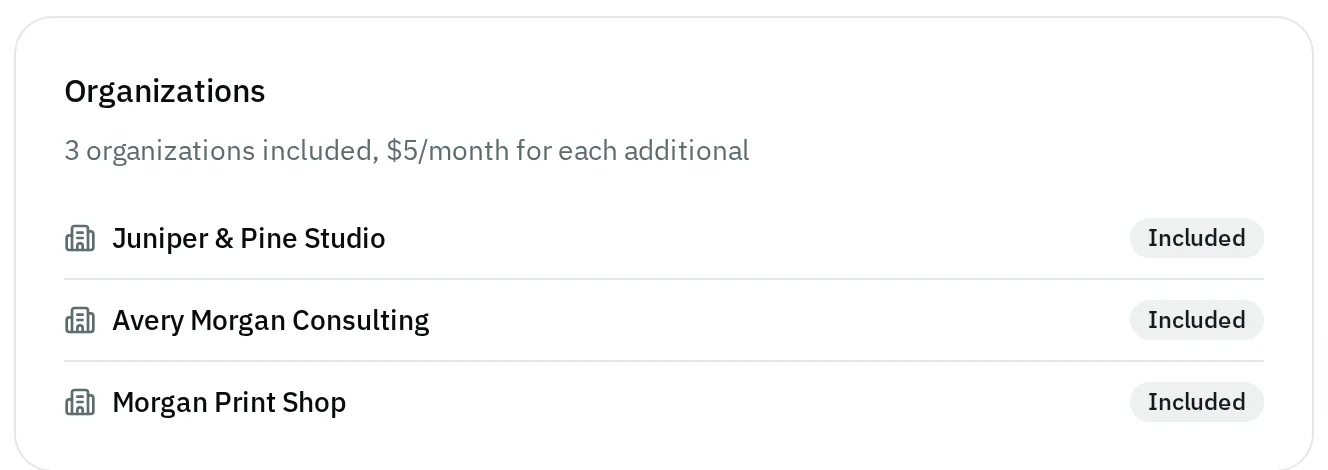
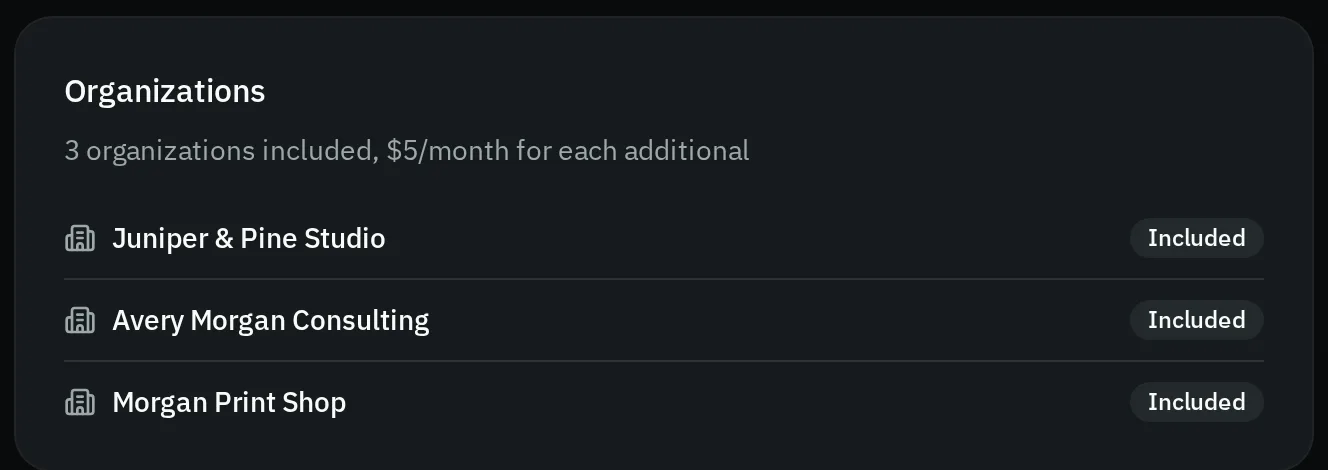
Start your free trial
If you have no subscription, your Billing page shows Start your free trial instead of the plan. The card shows the price after the trial and the date of the first charge.
- Type your card details.
- Click Start free trial.
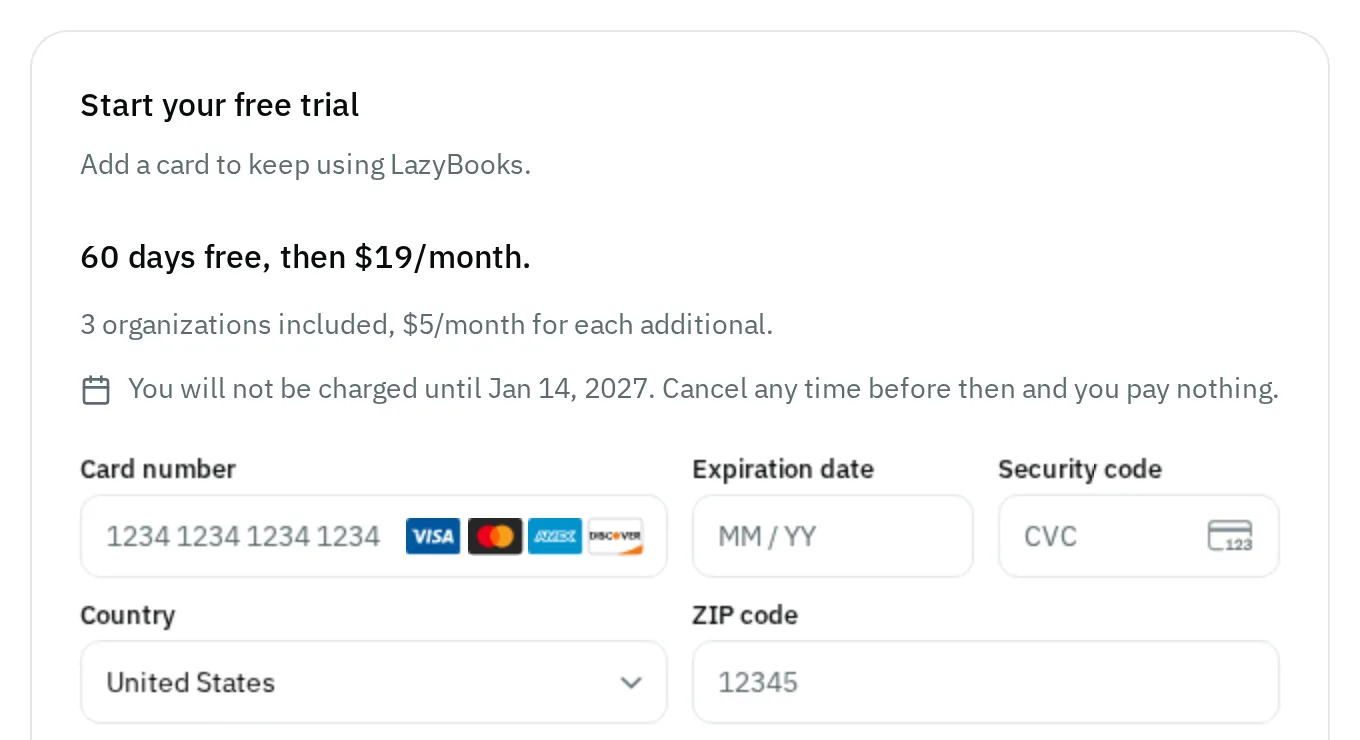
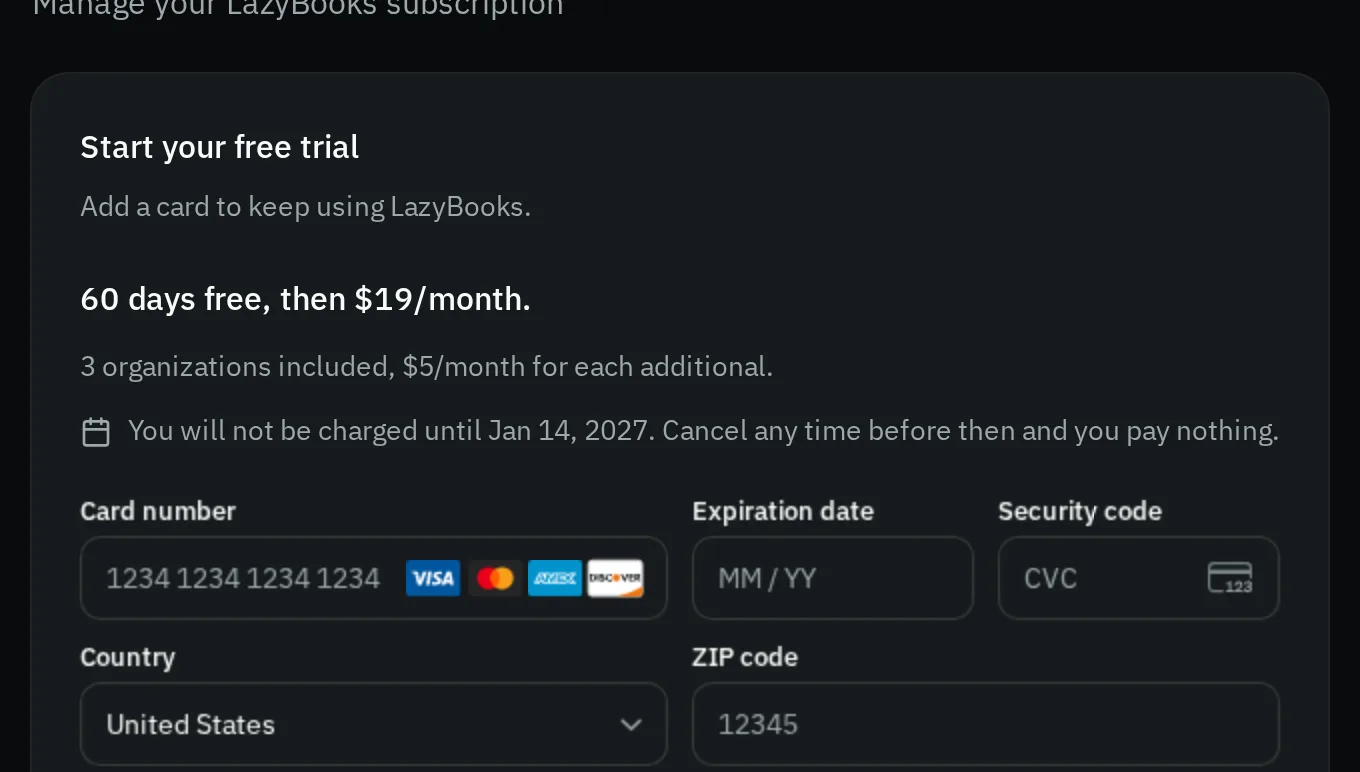
LazyBooks does not charge your card until the date on the card. If you cancel before that date, you pay nothing. The Organizations card under it lists the organizations that you own, which the subscription will cover.
Update your card
- In the Payment method card, click Update card.
- Type the details of the new card.
- Click Save card.
The new card pays every future bill. If a payment failed, LazyBooks tries that payment again on the new card at once. Your bank can ask you to confirm the payment. To close the form without a change, click Keep current card.
Cancel your subscription
- In the Plan card, click Cancel subscription.
- Read what happens when the subscription ends.
- Click Cancel subscription in the dialog.
LazyBooks stays active until the end of the billing period. Then every organization that the subscription covers locks, and its bank connections disconnect. To keep the subscription, click Keep subscription in the dialog instead.
During the free trial, the billing period ends when the trial ends. If you cancel during the trial, you pay nothing.
Deleting an organization does not cancel your subscription. See Delete an organization.
Resume a canceled subscription
You can resume the subscription until the end of the billing period. Until then, the status is Canceling and the Plan card shows the date that the subscription ends.
To resume, click Resume subscription in the Plan card. The subscription then renews at the end of the billing period, and your bank connections stay connected.
If a payment fails
When a payment fails, the status changes to Payment failed. A banner at the top of each page shows the date that the organization locks. That date is 14 days after the first failed payment. Stripe tries the card again until then.
- Click Update card in the banner. Your Billing page opens.
- Click Update card.
- Type the details of a card that works.
- Click Save card.
LazyBooks then tries the failed payment again on the new card.
Admins and members see a banner that says the owner account has a billing problem. Only the owner can update the card.
Unlock a locked organization
If no payment goes through by the lock date, the status changes to Locked. Your data stays safe, but nobody can use the organization.
- If you are the owner, each page of the organization opens your Billing page. To unlock the organization, update your card. See Update your card.
- If you are an admin or a member, LazyBooks shows a page that says the organization is locked. The page shows the name and email address of the owner to contact.
If nobody fixes the payment, the subscription ends around one month after the first failed payment. The bank connections then disconnect.
You can still delete a locked organization that you own. On your Billing page, in the Organizations card, click Manage or delete. See Delete an organization.
Start a new subscription
When a subscription ends, the status is Ended. Your Billing page then shows a Resubscribe card with the price and a card form. A new subscription has no free trial.
- Type your card details.
- Click Subscribe.
LazyBooks charges your card on the same day. Bank connections that disconnected when the subscription ended need to be linked again. See Fix a bank connection.
If your bank asks you to confirm a payment
Some banks ask you to confirm the first payment of a subscription. Until you confirm it, your Billing page shows Your payment needs confirmation from your bank.
- To confirm the payment, click Confirm payment and follow the steps of your bank.
- To use another card, click Use a different card. LazyBooks cancels the unconfirmed payment, and you do not pay for it.